Use Case
SnowflakeData Pipelines
Build, deploy and scale pipelines in minutes, not days. Integrated data engineering workflows automate the heavy lifting, so you can focus on delivering high-quality data instead of infrastructure management.




Overview
Modernize workflows with ZeroOps pipeline development
Combining premier performance with open source flexibility, Snowflake makes it easy to apply software engineering rigor to your data — without the architectural overhead.

Standardize pipeline development on one unified engine
Build, test and deploy data pipelines in a cohesive environment that includes Snowpark, Dynamic Tables and native dbt Projects. Stop managing fragmented tools and start scaling data engineering directly on Snowflake with integrated, enterprise-grade workflows.

Remove operational overhead and performance bottlenecks
Take advantage of managed compute and stop tuning infrastructure. Instead, rely on performant and highly optimized serverless transformations and orchestration options.

Put AI to work alongside you and your team
Accelerate development with a purpose-built IDE with Snowflake Workspaces that includes an integrated and knowledgeable coding assistant, Snowflake CoCo.
Benefits
Building and Orchestrating with SQL and Python in Snowflake
Advanced declarative workflows
Build expressive pipelines that go beyond just moving data
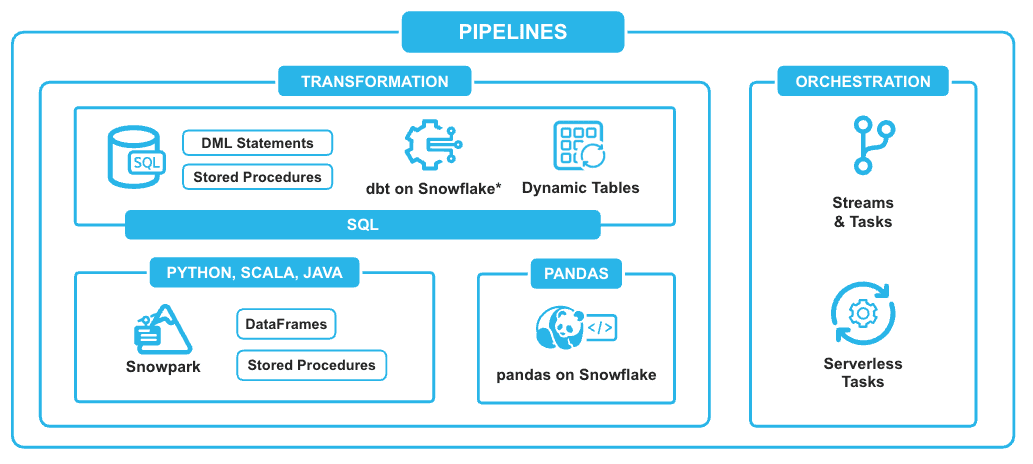
Eliminate the need for manual orchestration and reduce resource consumption using Dynamic Tables for efficient incremental updates.
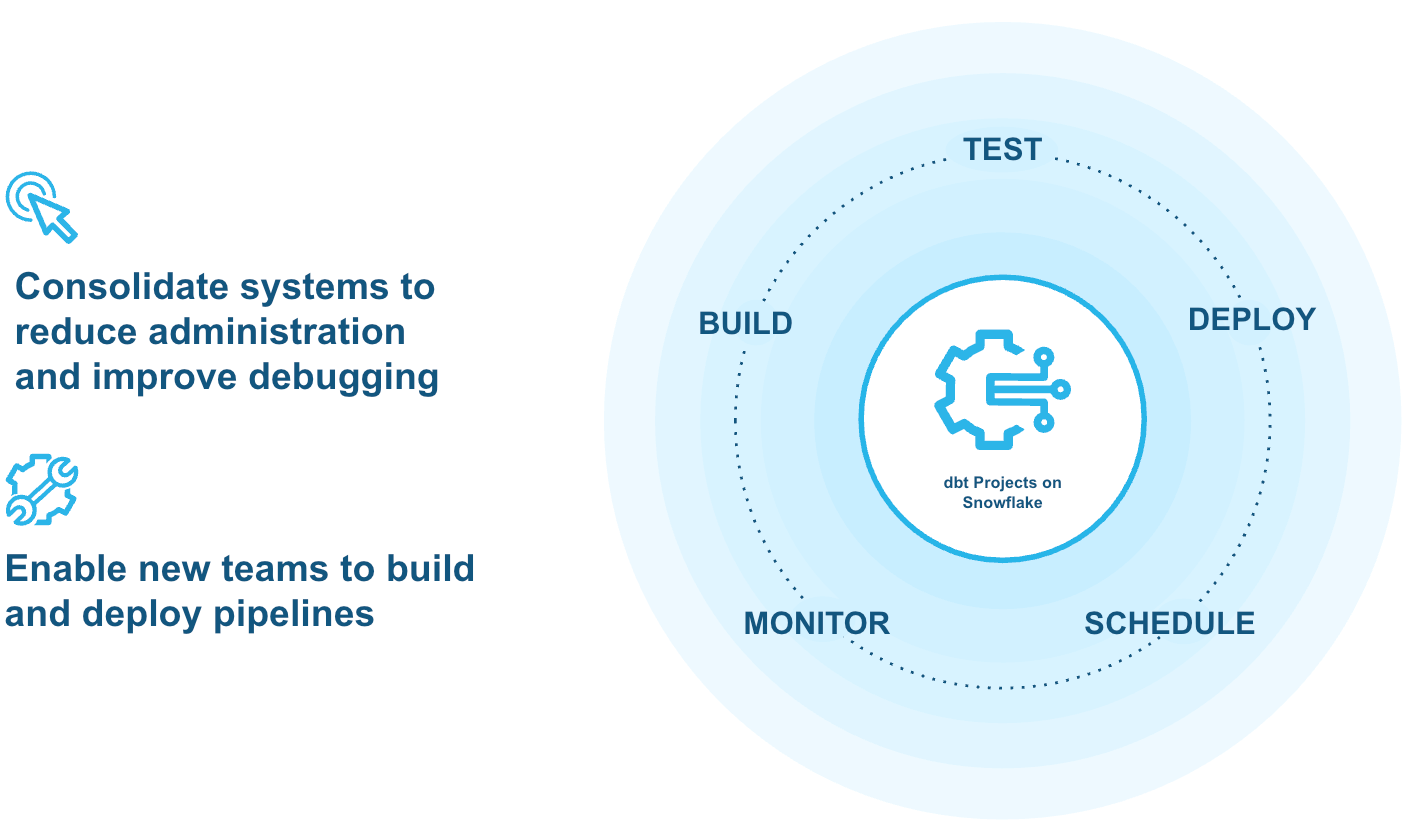
Build, test, deploy and monitor data transformations with dbt directly in Snowflake via dbt Projects.
Expedite development with a purpose-built IDE for data engineering, Workspaces.
- Augment data engineering work with an intelligent coding assistant, Snowflake CoCo.
Accelerate Apache SparkTM and Python pipelines
Power high-performance pipelines at enterprise scale
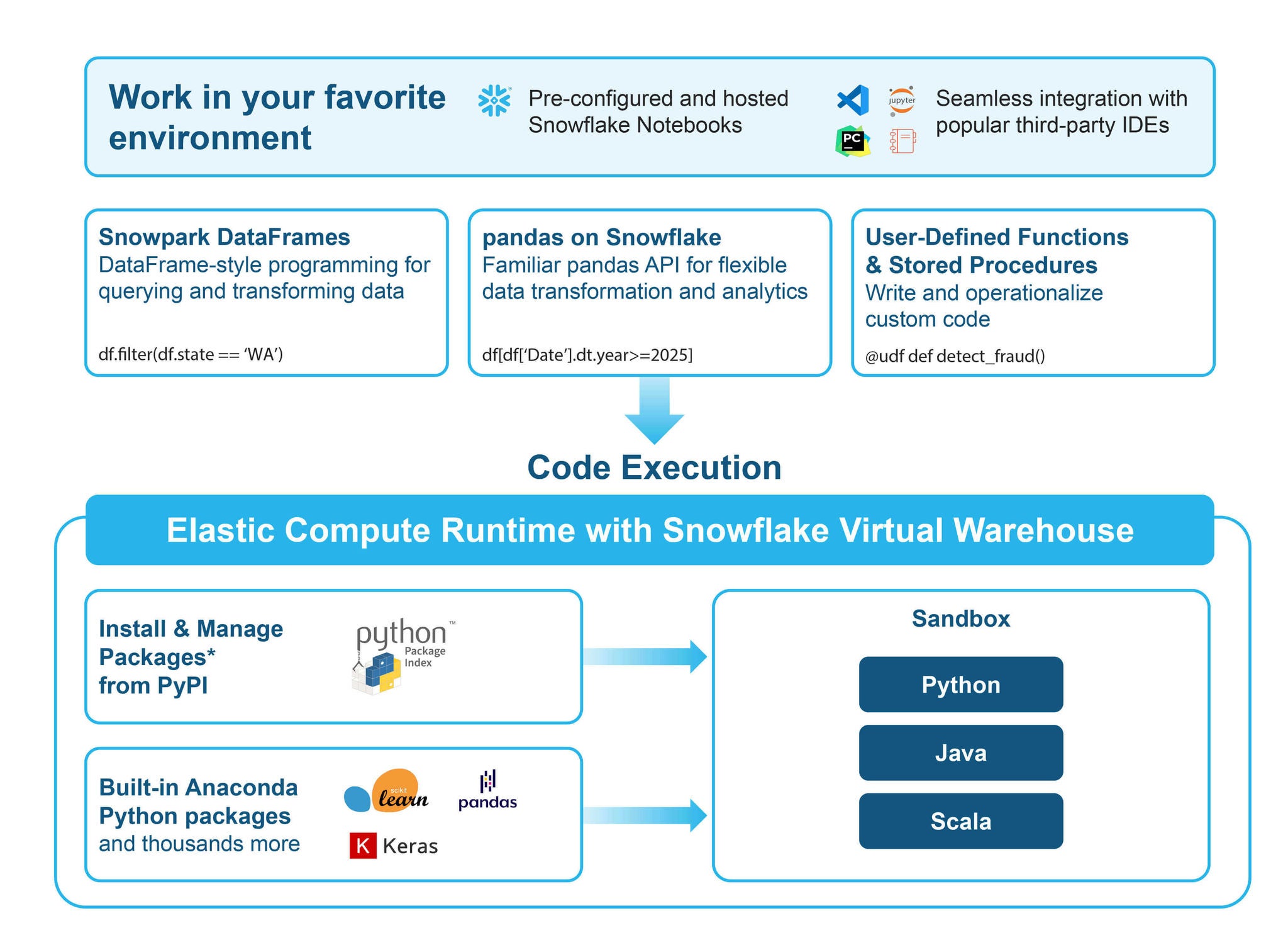
Run your existing Apache Spark code on Snowflake’s engine using Snowpark Connect, now with support for Java, Scala and Python.
Use Snowpark’s native Python support to seamlessly access diverse data sources, newly added capabilities from external databases via DB-API to XML files with Rowtag reader.
Unlock faster performance and lower costs with zero operational overhead.
Add Automation
Orchestrate data pipelines
- Automated orchestration is embedded into transformation workflows while providing a reliable, scalable framework for consistent execution — without the operational overhead.
- Define the end state and Snowflake automatically manages refreshes with Dynamic Tables.
- Run commands on a schedule or defined triggers with Snowflake Tasks.
- Chain tasks together defining a directed acyclic graph (DAGs) to support more complex periodic processing.
- Optimize task execution with Serverless Tasks.

“Now, we aren’t so focused on how to build things. We are focused more on what to build.”
Dan Shah
Manager of Data Science
- 1 week for 130 Dynamic Tables to be in production after migration
- 65% cost savings switching from Databricks to Snowflake

Resources
Start Building and Orchestrating Pipelines on Snowflake


Get Started
Take the next stepwith Snowflake
Start your 30-daySnowflake trial today
- $400 in free credits
- Immediate access to the AI Data Cloud
- Enable your most critical data workloads


Data Pipelines
Frequently Asked Questions
Learn about effectively building and managing data pipelines in Snowflake. Explore supported types, efficient data handling techniques and more.
A data pipeline is a series of processes and tools that automate the movement and transformation of data from its origin (source systems) to a destination (like a data warehouse or data lake) for storage and analysis. Essentially, it's how raw data is ingested, processed and made ready for insights, AI, apps and other downstream use cases.
Common data pipeline types include:
Batch Pipelines: Process large volumes of data at scheduled intervals.
Streaming Pipelines: Process data in real-time or near real-time as it's generated.
Microbatch Pipelines: A hybrid approach, processing data in small, frequent batches, offering a balance between batch and streaming.
Yes, Snowflake supports these approaches with an array of features depending on the data engineering persona and needs.
Snowflake offers several features that handle both transformation and data orchestration. Dynamic Tables in Snowflake can automate refresh schedules for transformations. Snowflake Tasks can be chained into task graphs (DAGs) for orchestrating SQL and Python transformations. While tools like dbt focus on transformation, they integrate with Tasks or external orchestrators (e.g., Apache Airflow) for full pipeline orchestration.
You can manage dependencies natively in Snowflake using Snowflake Tasks. By creating task graphs, you define the execution order, ensuring that subsequent steps only run after their prerequisite tasks have successfully completed. If Dynamic Tables are used, dependencies are managed automatically by Dynamic Tables.
No, you don't always need to build a custom data pipeline from scratch. There are different ways for data engineers to interact with different parts of a data pipeline. Take data loading & ingestion as an example. Depending on your needs, alternatives can include: using data integration tools (like Snowflake Openflow), accessing data shares directly via Snowflake Marketplace, or leveraging Snowflake’s secure data sharing if the data is already in another Snowflake account.
No, it's not always necessary to ingest data into Snowflake's internal managed storage before performing transformation work. Snowflake facilitates different architectures including lakehouse, so you can use Snowflake to perform transformations on data residing in your external cloud storage leveraging Apache Iceberg tables using External Tables or Apache Iceberg tables. This allows you to work with data in place without always ingesting it into Snowflake's managed storage.
